

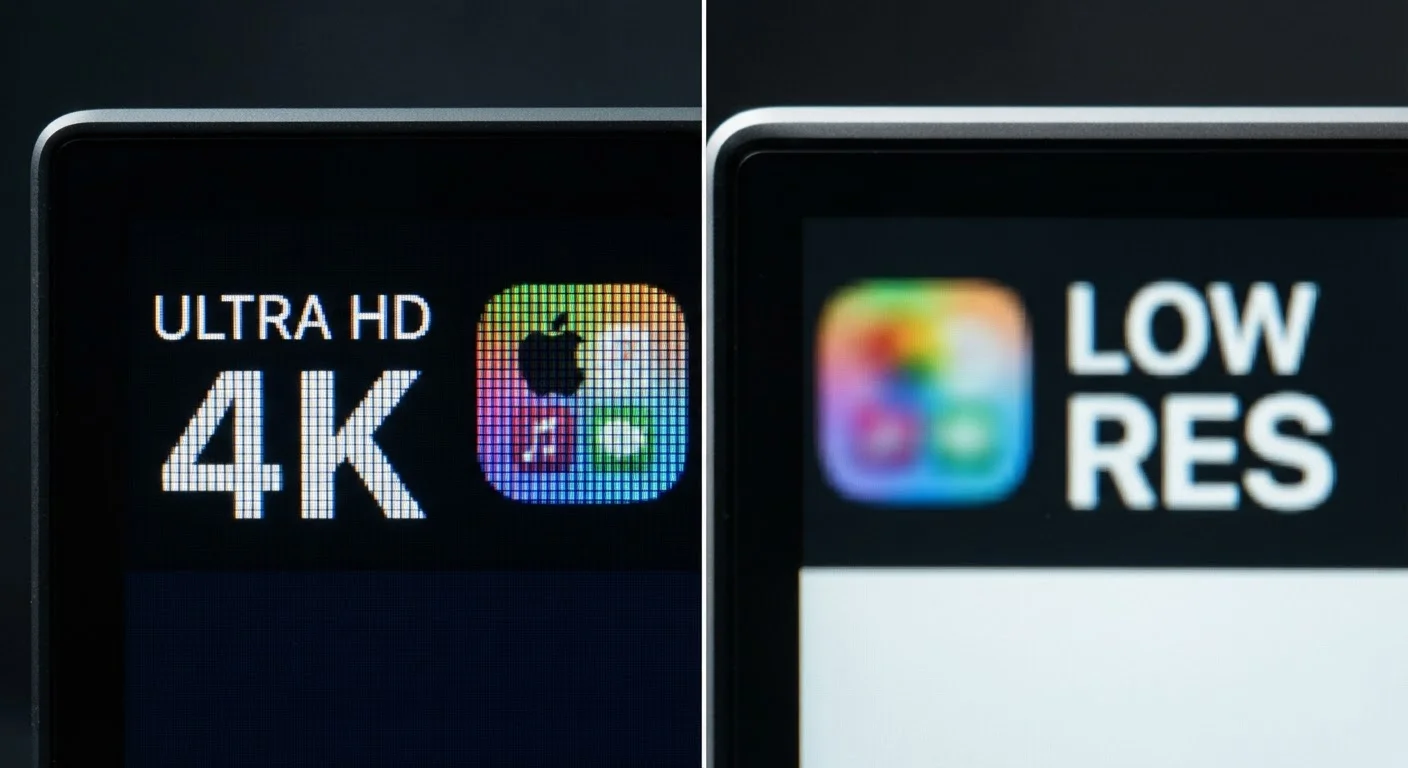
The Numbers Behind the Labels
Every screen resolution has two numbers: width and height, measured in pixels. A 1080p display is 1,920 pixels wide and 1,080 pixels tall - roughly 2 million pixels total. A 4K display (specifically UHD 4K) runs at 3,840×2,160 - nearly 8.3 million pixels, about four times as many as 1080p.
Common resolution tiers you'll see on labels and spec sheets:
- 720p (HD): 1,280×720 - the baseline 'high definition' standard, now largely limited to older or budget devices.
- 1080p (Full HD): 1,920×1,080 - still the dominant resolution for streaming, gaming, and mid-range monitors.
- 1440p (QHD): 2,560×1,440 - popular in PC gaming monitors, offering a middle ground between 1080p and 4K.
- 4K (UHD): 3,840×2,160 - the current premium consumer standard for TVs and high-end monitors.
- 8K: 7,680×4,320 - commercially available but offers no practical visual benefit for most consumers today.
8.3M
Pixels on a 4K UHD display
A 3,840×2,160 panel contains approximately 8.3 million pixels - four times the pixel count of a 1080p Full HD screen.
~300 PPI
Approximate human eye resolving limit
Vision researchers generally estimate that around 300 pixels per inch at arm's length is near the limit of detail the human eye can distinguish under normal conditions.
15-25 Mbps
Recommended speed for 4K streaming
Major streaming platforms typically recommend a sustained connection speed of 15-25 Mbps to reliably stream content at 4K resolution.
Why Pixel Density Matters More Than Resolution
Raw resolution tells you how many pixels exist. Pixel density - expressed as pixels per inch (PPI) - tells you how tightly packed those pixels are, which is what your eye actually perceives as sharpness.
Consider two screens: a 4K television at 55 inches and a 4K smartphone screen at 6 inches. Both have the same resolution, but the phone's pixels are crammed into a tiny area, producing an extremely sharp image. The TV spreads those pixels over a much larger surface, yielding a lower PPI - though still comfortably sharp at typical living-room distances.
This is the logic behind Apple's Retina displays: the goal is to reach a density high enough that your eye can't distinguish individual pixels at a normal viewing distance. The specific resolution required to achieve that varies by how close you hold the device.
Check PPI Before Comparing Resolutions
When comparing two screens, look up the PPI alongside the raw resolution. Many manufacturers and tech review sites list PPI in spec tables. A higher-resolution screen on a much larger panel may actually deliver lower pixel density - and a less sharp image - than a lower-resolution smaller screen.
Viewing Distance: Where the Difference Vanishes
Human vision has a resolving limit. Once pixel density passes roughly 300 PPI at arm's length, adding more pixels produces diminishing returns visible to the naked eye. The key variable is angular resolution - how much of your visual field each pixel occupies.
A practical illustration: on a 55-inch 4K TV viewed from 10 feet away, the improvement over 1080p may be subtle or imperceptible to many viewers. Move the same TV to 5 feet away and the additional detail becomes clearly noticeable. This is why 4K delivers its clearest benefit on large screens (65 inches and above) or when the viewer sits relatively close.
For laptop and desktop monitors, the math shifts. A 27-inch 4K monitor used at typical desk distance (2-3 feet) offers a genuinely crisper image compared to a 1080p panel of the same size, making resolution upgrades more defensible for computer displays than for living-room TVs.
Content, Streaming, and the Real-World Gap
A 4K display can only show 4K content when the source provides it. Standard cable TV, many streaming libraries, and most older films are still delivered in 1080p or lower. Your 4K TV will upscale that content - using processing to interpolate additional pixels - which can improve apparent sharpness but isn't equivalent to native 4K footage.
Streaming 4K also places heavier demands on your internet connection. Most platforms recommend at least 15-25 Mbps for stable 4K playback. If your home connection is limited or shared across many devices, the stream may downgrade resolution automatically. Understanding how your connection handles sustained throughput is as important as the TV's specs - which is worth understanding when you read the fine print of your internet plan.
Resolution is also just one dimension of picture quality. HDR (High Dynamic Range) - which expands the range of brightness and color - often makes a more immediately visible difference than stepping from 1080p to 4K. A 1080p HDR display can look more vibrant and lifelike than a 4K display without HDR in direct comparison.
Putting It All Together
When evaluating a screen - whether for a TV, monitor, laptop, or phone - resolution is a useful starting point, not the whole story. Ask these practical questions:
- How big is the screen? Larger screens benefit more from higher resolution.
- How far will I sit? Closer viewing distances make higher resolution more worthwhile.
- What content will I watch? Native 4K content is needed to fully realize a 4K display's potential.
- What else affects picture quality? Panel technology, refresh rate, and HDR support can matter as much as resolution.
Just as understanding the fine print on a contract helps you know what you're getting, understanding resolution terminology helps you cut through marketing language and make a decision grounded in how you'll actually use the device. For additional guidance on keeping your displays and devices performing reliably, see our tips for keeping devices running well over time.


