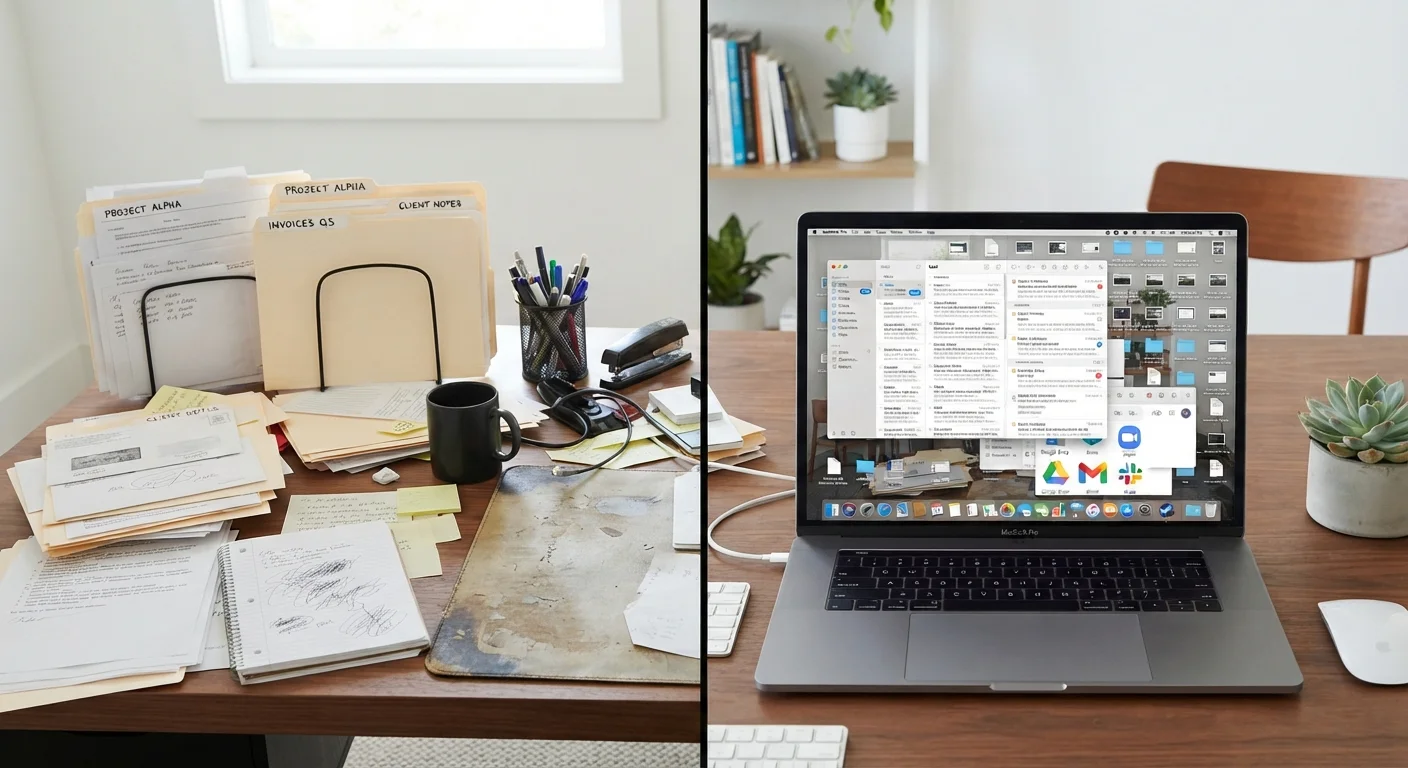
Why These Two Types of Clutter Need Different Approaches
Paper clutter is visible and physical - a stack of mail on the counter is impossible to ignore. Digital clutter is sneaky: thousands of unread emails or a desktop covered in unnamed files can feel abstract, easy to minimize until you can't find anything you need. Because the two types of clutter accumulate differently and affect you differently, fixing them requires different tools and mindsets.
If you've ever wondered why decluttering your home leaves you feeling lighter but clearing your downloads folder does almost nothing for your stress level, the answer lies in how our brains process physical versus digital disorder. For a deeper look at that dynamic, see why clutter feels so overwhelming.
The good news: each type of clutter responds well to a clear, repeatable system - once you know what you're dealing with.
| Paper Clutter | Digital Clutter | |
|---|---|---|
| How it accumulates | Physically visible; arrives daily via mail and receipts | Invisible growth; email, downloads, and auto-saves pile up silently |
| Primary cause | Delayed sorting decisions | Volume and lack of naming or folder discipline |
| Main fix | Three-pile sort: act, file, shred | Folder structure plus scheduled maintenance sessions |
| Tools needed | File folders, shredder, labeled storage | Cloud storage, email filters, photo management app |
| Maintenance frequency | Weekly 10-15 minute paper review | Monthly file and inbox clean-up |
| Biggest pitfall | Letting paper land without a decision | Saving files with vague or no names |
Tackling Paper Clutter: Sort First, Store Second
Paper clutter usually has one root cause: delayed decisions. That stack on the counter isn't random - it's a collection of items you weren't sure what to do with, so you set them down and moved on. The fix is building a simple decision framework so paper never gets a chance to pile up.
The Three-Pile Method
When you sit down to sort paper, work with three and only three categories:
- Act on it: Bills to pay, forms to complete, appointments to schedule. These go into a designated inbox or action folder and get handled within the week.
- File it: Documents you need to keep - tax records, insurance paperwork, medical records, home warranties. Use labeled folders and a consistent naming system (year first, then category: 2023_Tax_W2, for example).
- Shred or recycle it: Junk mail, expired coupons, old receipts you no longer need. When in doubt about financial or legal documents, general guidance from the IRS and financial institutions suggests keeping tax records for at least three to seven years; verify based on your specific situation.
Once you've sorted everything, set a short weekly habit - ten to fifteen minutes - to process incoming paper before it can accumulate. This maintenance habit matters more than the initial cleanout. Habits that prevent clutter from returning are the real long-term solution.
Create a Permanent Landing Spot for Incoming Paper
Place a small tray or wall-mounted pocket near your front door or where mail typically lands. Anything that comes into the house goes there first - and nowhere else. Reviewing that single spot once a week takes the guesswork out of where to start and prevents paper from scattering across multiple surfaces.
Tackling Digital Clutter: Systems Over Willpower
Digital clutter is a volume problem. The average person receives dozens of emails daily, downloads files without naming them, and saves photos without organizing them. Unlike paper, digital clutter has no physical weight - so it grows unchecked until a search for one important file takes twenty frustrating minutes.
Start With Your Email Inbox
Unsubscribe ruthlessly from newsletters you never open. Then create a small set of folders - three to five is usually enough - and move everything out of the inbox into them or into trash. A common structure: Action Required, Reference, and Waiting On. Process the inbox daily or at minimum weekly; zero unread isn't a realistic goal for most people, but under fifty is achievable.
Files and Downloads
Set a monthly calendar reminder to clear your downloads folder. Create a top-level folder structure that mirrors how you actually think - by project, by year, by category - not how an app organizes things by default. Rename files meaningfully at the moment you save them; renaming later almost never happens.
Photos
Photos are often the biggest digital backlog. Dedicate short, focused sessions to deleting obvious duplicates and blurry shots. Most smartphone photo apps have built-in tools that group similar images to make this faster. For anything sensitive stored in the cloud, it's worth reviewing your privacy and security settings - the Online Safety hub has practical guidance on protecting your digital data.
Don't Delete Files You Can't Easily Replace
Before bulk-deleting digital files, pause and check whether any of them are the only copy of something important - a tax document, a contract, or a family photo. Make a backup to an external drive or a second cloud location before any large deletion session. Data recovery services exist, but they are not guaranteed to work and can be expensive.
When Going Digital Helps - and When It Doesn't
A common instinct is to scan all paper documents and go fully digital. This works well for reference documents you rarely need but want accessible - insurance policies, owner's manuals, receipts for major purchases. However, scanning paper into an already-disorganized digital environment just trades one problem for another. Build your folder structure first, then digitize.
Some documents are worth keeping in physical form regardless: original birth certificates, Social Security cards, property deeds, and similar legal originals. Store these in a fireproof box or a secure filing cabinet rather than relying solely on scanned copies.
If you're just beginning the process of bringing order to your home, a structured starting point helps. Decluttering your home for the first time walks through how to approach a whole-house cleanout without getting overwhelmed.