

Why Speed Myths Cost Households Real Money
Internet speed is one of the most misunderstood numbers in consumer technology. Providers market plans with bold megabit and gigabit figures, while households either overpay for speed they'll never use or underplan and end up with a connection that frustrates everyone. Neither outcome is inevitable - but both are fueled by myths that are worth examining carefully.
Understanding what internet speed actually means for your household starts with knowing the difference between marketing claims and real-world performance. Our plain-language speed glossary breaks down the terms you'll encounter on any plan comparison page. Once you have that foundation, the myths below are much easier to spot - and avoid.
Myth
Gigabit internet is necessary for a modern household.
Fact
Most households use a small fraction of gigabit capacity and would not notice a meaningful difference compared to a well-matched lower-tier plan.
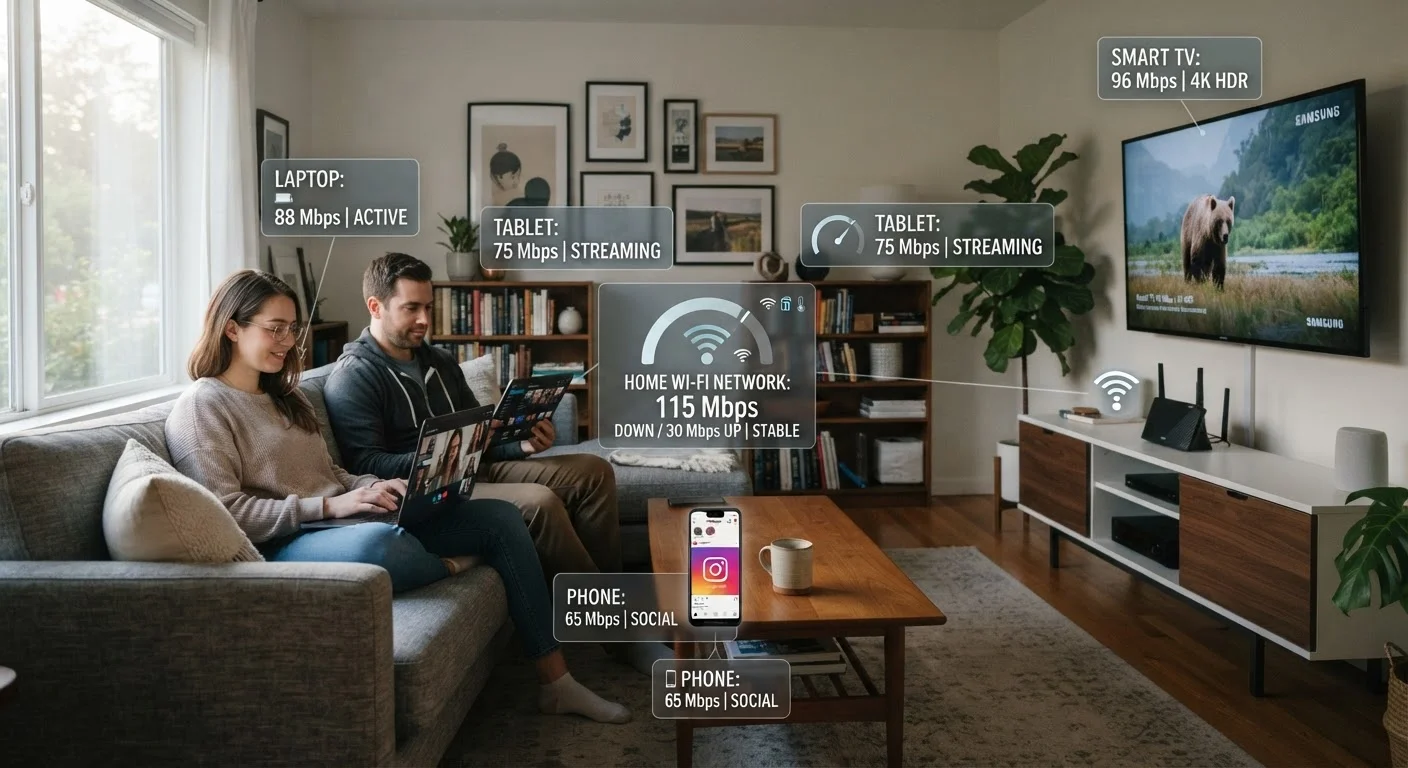
Gigabit plans (1,000 Mbps download) are aggressively marketed, but the Federal Communications Commission and independent researchers consistently find that typical household activity - streaming in 4K, video calls, gaming, browsing - is well-served by connections in the 100-300 Mbps range, depending on the number of simultaneous users. A single 4K stream requires roughly 15-25 Mbps. Even a household with five people streaming simultaneously would use well under 200 Mbps. Paying for gigabit speeds when your usage doesn't require them means you're funding speed headroom you will almost never access.
Myth
The speed on your plan is the speed you get.
Fact
Advertised speeds are theoretical maximums under ideal conditions; real-world delivered speeds are typically lower and vary by time of day, connection type, and your in-home hardware.
The FCC's Measuring Broadband America reports have repeatedly documented that delivered speeds can differ from advertised speeds, sometimes substantially - and the gap is not uniform across connection technologies. Cable internet, which uses a shared neighborhood network, tends to see more variation than fiber, which provides a dedicated path. Beyond the provider's network, your modem, router, and even the Ethernet cable connecting them all introduce potential speed loss. Advertised speed is a ceiling, not a guarantee. Always test your actual delivered speed using a wired connection before assuming a plan is underperforming.
Myth
More devices in your home means you need a much faster plan.
Fact
Device count matters less than simultaneous active usage; most connected devices use negligible bandwidth when idle.
A household might have 20 or more connected devices - smart speakers, thermostats, phones, TVs, laptops, security cameras - but the vast majority draw bandwidth only in brief, small bursts. What actually stresses a connection is the number of devices doing data-intensive things at the same time: streaming video, downloading large files, or running video calls concurrently. If your household rarely has more than four or five devices actively doing bandwidth-heavy tasks simultaneously, a modest plan is almost certainly adequate. Focus on peak concurrent usage, not raw device count, when evaluating whether to upgrade.
Myth
Upload speed doesn't really matter for home internet.
Fact
Upload speed is critical for video calls, remote work, live streaming, and cloud backups - and many cable plans provide upload speeds far below their download figures.
For years, home internet was largely about downloading: web pages, streaming video, files. That changed significantly as remote work, video conferencing, and cloud-based tools became everyday tools for millions of households. A video call on a platform like Zoom or Teams typically requires 3-5 Mbps of upload speed per participant. Cloud backups and uploading large files to shared drives are equally upload-dependent. Many cable internet plans advertise impressive download speeds but cap upload at a fraction of that - sometimes 10-20 Mbps on a plan with 500 Mbps download. Households with remote workers or content creators should check the upload figure, not just download, before selecting or renewing a plan. Our guide to reading your plan's fine print covers where these asymmetries typically appear in service agreements.
Myth
Faster internet fixes slow streaming and buffering.
Fact
Buffering is most commonly caused by Wi-Fi interference, router limitations, or server-side congestion - not insufficient plan speed.
When a stream buffers, the instinct is to blame the internet plan and consider upgrading. But if a wired speed test shows your connection is delivering the plan's advertised speeds, the issue lies elsewhere. Wi-Fi signal degradation through walls and floors, router overheating, outdated router firmware, or interference from neighboring networks are far more common culprits. Streaming quality can also be throttled by the content platform's own servers during peak hours, which no home plan upgrade can resolve. Troubleshooting your home network hardware is nearly always the right first step before paying for a faster tier.
What Actually Determines the Speed You Experience
Even if every myth above were corrected overnight, households would still face a gap between the plan they purchase and the performance they receive. That gap usually comes down to a handful of factors that have nothing to do with the speed tier on your bill.
Your router is often the bottleneck. An older router - particularly one provided by your ISP several years ago - may be physically incapable of passing through the speeds your plan theoretically delivers. A Wi-Fi 5 (802.11ac) router, for example, has real-world throughput limits that a Wi-Fi 6 router exceeds substantially. Slow Wi-Fi isn't always your provider's fault - router age, placement, and interference all play a significant role.
Network congestion is time-dependent. Shared-infrastructure connections like cable internet (which runs on a coaxial network shared among neighbors) can slow noticeably during peak evening hours when many households are streaming simultaneously. Fiber and cable internet work very differently at the infrastructure level, which is why fiber connections tend to hold speed more consistently during congestion.
The type of connection matters as much as the advertised tier. A 100 Mbps fiber connection will often outperform a 200 Mbps cable connection in consistency and low latency. If you're weighing connection types, the differences between DSL, cable, fiber, and satellite are essential context before comparing plans by speed alone.
Don't Upgrade Before Diagnosing the Real Problem
Signing up for a higher-speed plan is one of the easier responses to slow internet - but it's often the wrong one. If your router is outdated, your modem is malfunctioning, or your Wi-Fi signal is weak in key rooms, a faster plan will deliver the same frustrating experience at a higher monthly cost. Diagnose before you upgrade: run a wired speed test, check your router's age and firmware, and confirm whether slowness is consistent or only during peak hours.
Before upgrading your plan, run a wired speed test (Ethernet directly to your modem, bypassing Wi-Fi) at different times of day. If wired results consistently match your plan tier but Wi-Fi falls short, the issue is likely your router or home network - not your provider's delivery. Paying for a faster tier won't fix a hardware problem.


